Securing the OpenSSH Server
Secure remote access is essential for many organizations, and SSH has become the de-facto standard for this purpose. However, a default SSH installation may not be the most secure option, leaving the server vulnerable to cyber attacks. Fortunately, a few simple steps can dramatically improve SSH security.
In this project, we will show you how to secure the open ssh server, enhancing its security and protecting against unauthorized access.
-
Install
OpenSSHclient -
Connect to the server using
ssh -p 22 username@server_ip. For example, conecting with usernamemuritala, IP address192.168.10.23, and port22ssh -p 22 [email protected] -
Controlling the
SSHddaemon to check its status, stopping, restarting, and enabling at boot time.Check
sshstatusStop
sshRestart
sshEnable
sshat boot -
The server configuration file is located in
/etc/ssh/, and it’s calledsshd_config
-
To enhance security, using a non-standard port such as
2279for the Linux server as the default port; attackers commonly target port22. However, it is essential to note that using a non-standard port alone is not enough to secure the server as it is considered a form of security through obscurity. Changing the port does not provide complete protection as determined hackers can still scan all ports using tools likenmap. Nonetheless, a non-standard port is highly recommended, as it can deter automated attacks on the Linux server. To implement changes related to the server, you need to edit thesshd_configfile and restart the server for the changes to take effect.Type
ito switch into insert mode invim,esc,and:wqto save and exit your file. Uncomment#each line with changes to apply non-default settings.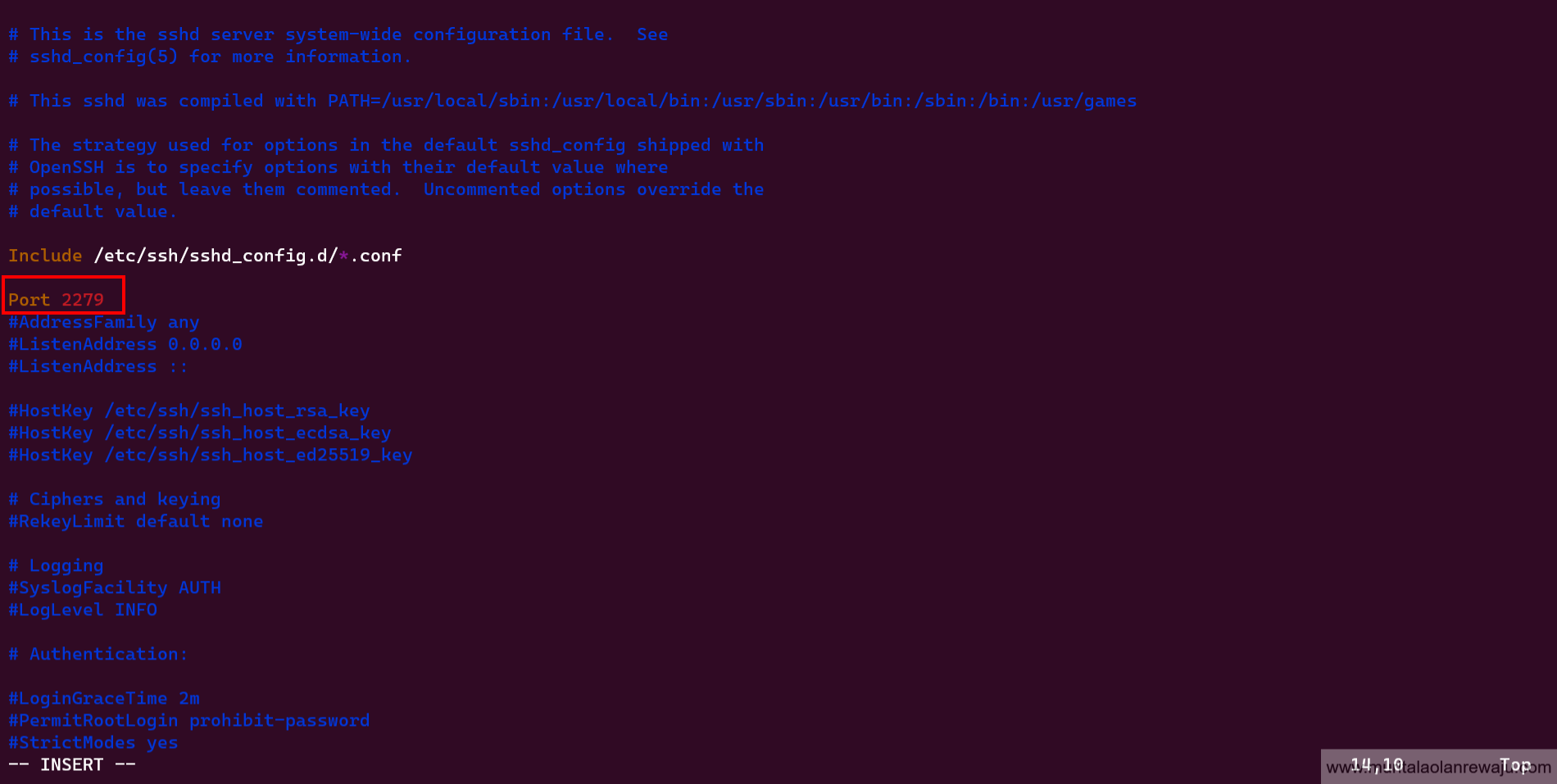
-
Direct login as root through
sshis a system's most dangerous security vulnerability. Even with a strong root password, there is always a possibility that a hacker can find it using brute force attacks. Avoiding direct root login viasshis recommended to mitigate this risk. Instead, log in as a regular user and use thesudoorsucommands to run commands as root when necessary. This approach improves the system’s overall security and reduces the likelihood of successful attacks. Search forPermitRootloginto verify it is disabled by default and change it fromprohibit-passwordtono.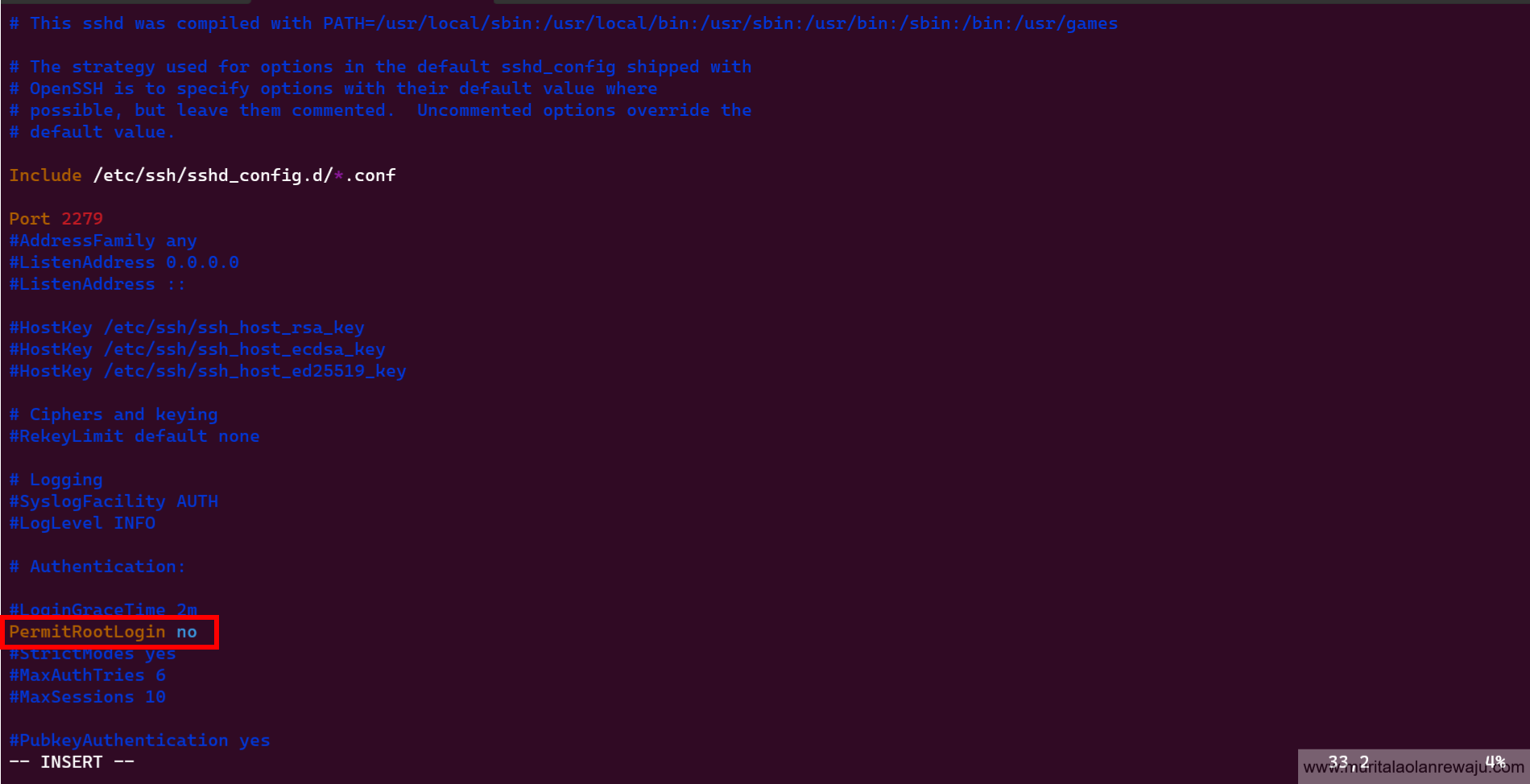
-
Limiting
sshaccess for users who do not require remote system access can greatly improve the system's overall security. By default, all system users can log in via SSH using their password or public key, which increases the risk of unauthorized access. Adding theAllowUsersoption to thesshd_configfile and specifying a list of allowed users can limit the impact of a weak password, enhancing the system's overall security. It is important to note that theAllowUsersoption may not be present in thesshd_configfile by default and must be added manually. Addmuritalaas the only permittedsshuser.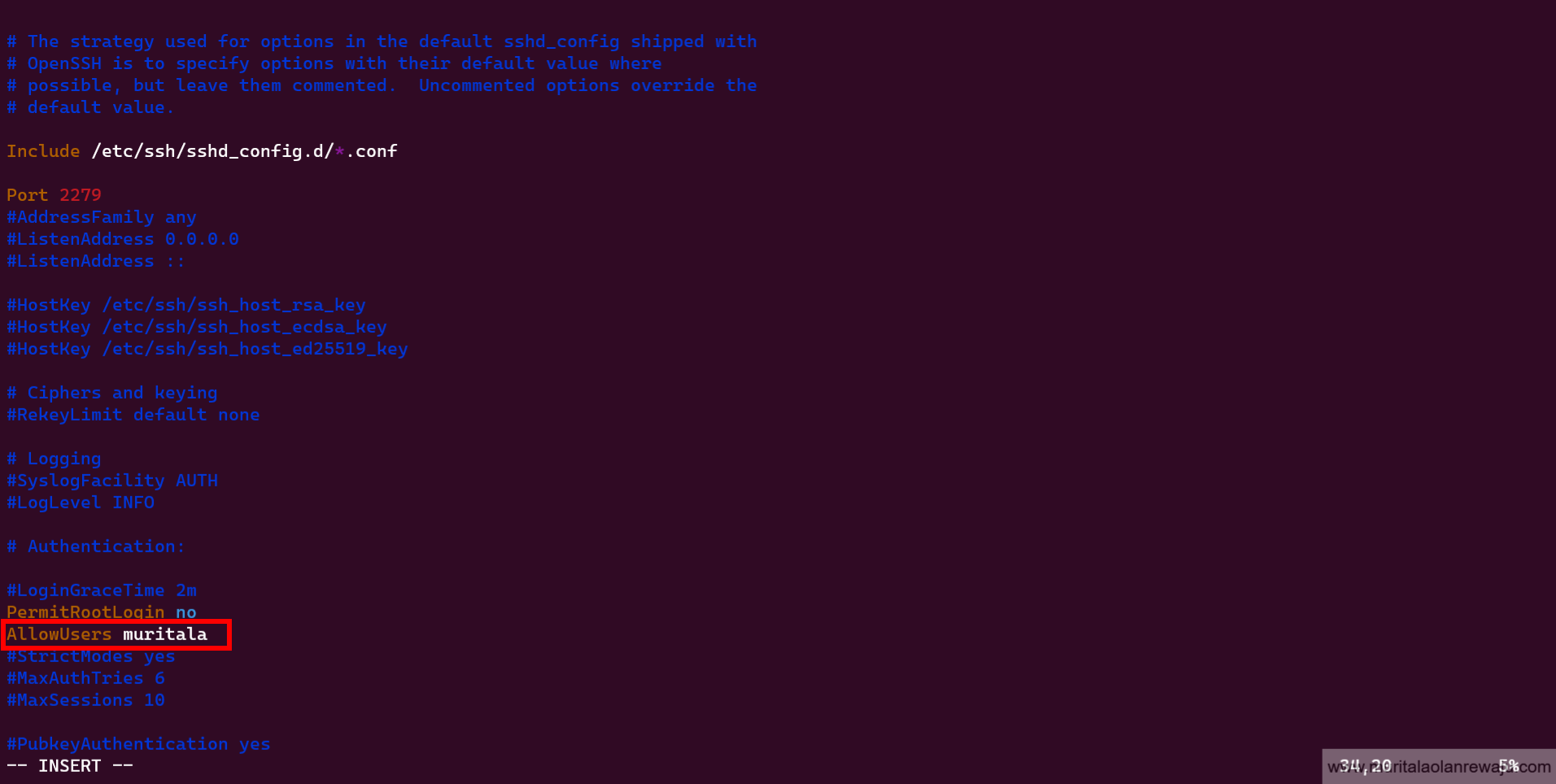
-
To further enhance the system’s security, it is advisable to restrict access to the
sshport only from a limited list of source IP addresses. This can be achieved by configuring the firewall rules,iptablesto permit connections only from the known IP addresses of the system administrators who require remote access. This approach limits the risk of unauthorized access to the system, particularly in cases where the source IP address isstatic. In situations where the source IP address isdynamicor subject to change, permitting access to the entire network may be necessary to prevent disruptions to remote access.Configuring the
iptablesto only allow remote connection fromsshport2279and IP address192.168.10.22Drop all other
sshconnections to the Linux system using: -
By default, the latest versions of OpenSSH use SSH protocol version 2, so there's no need to change anything. However, it's advisable to configure an
idle timeout interval.SetClientAliveIntervalto300andClientAliveountMaxto0and remove the comment#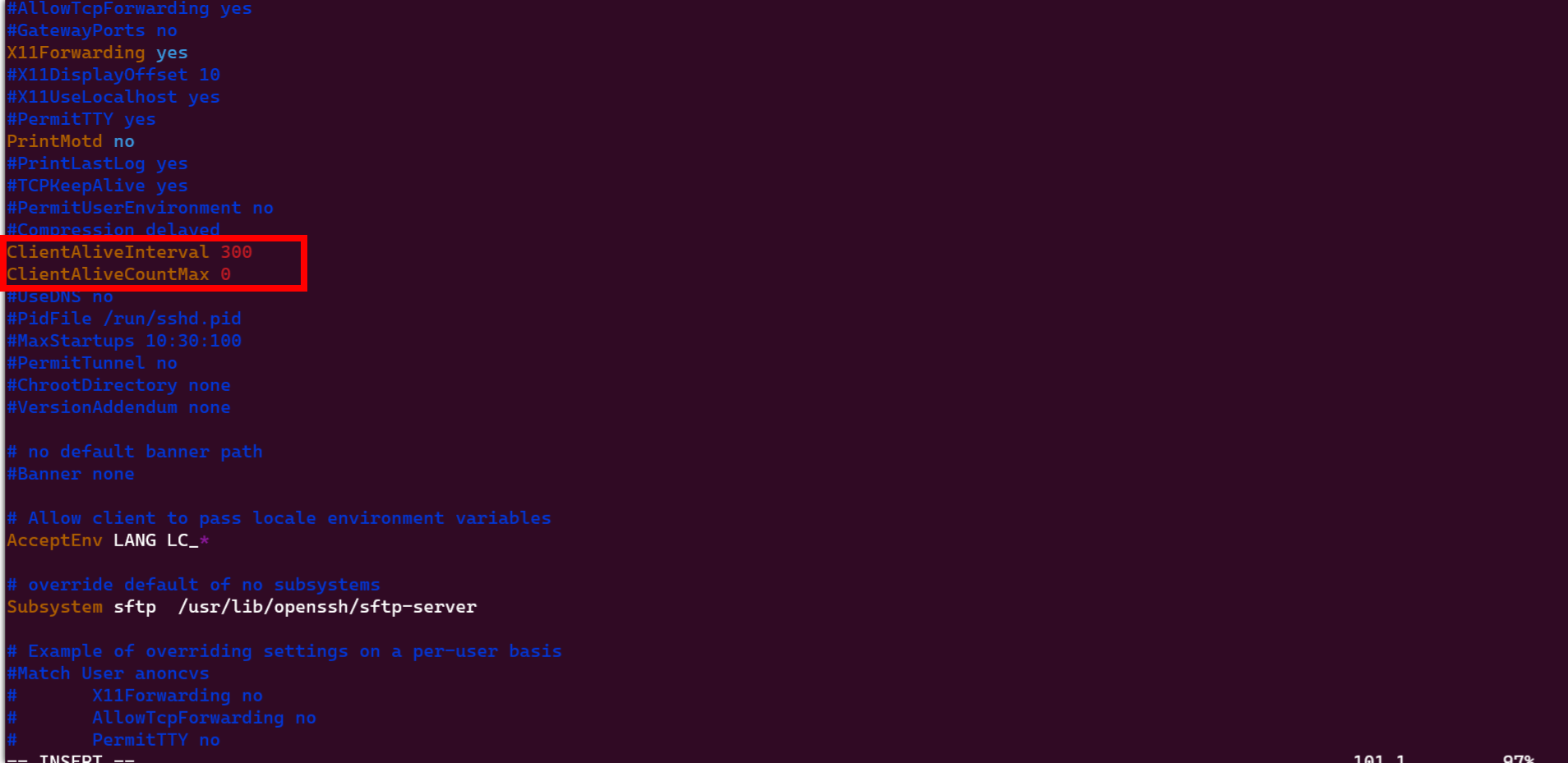
-
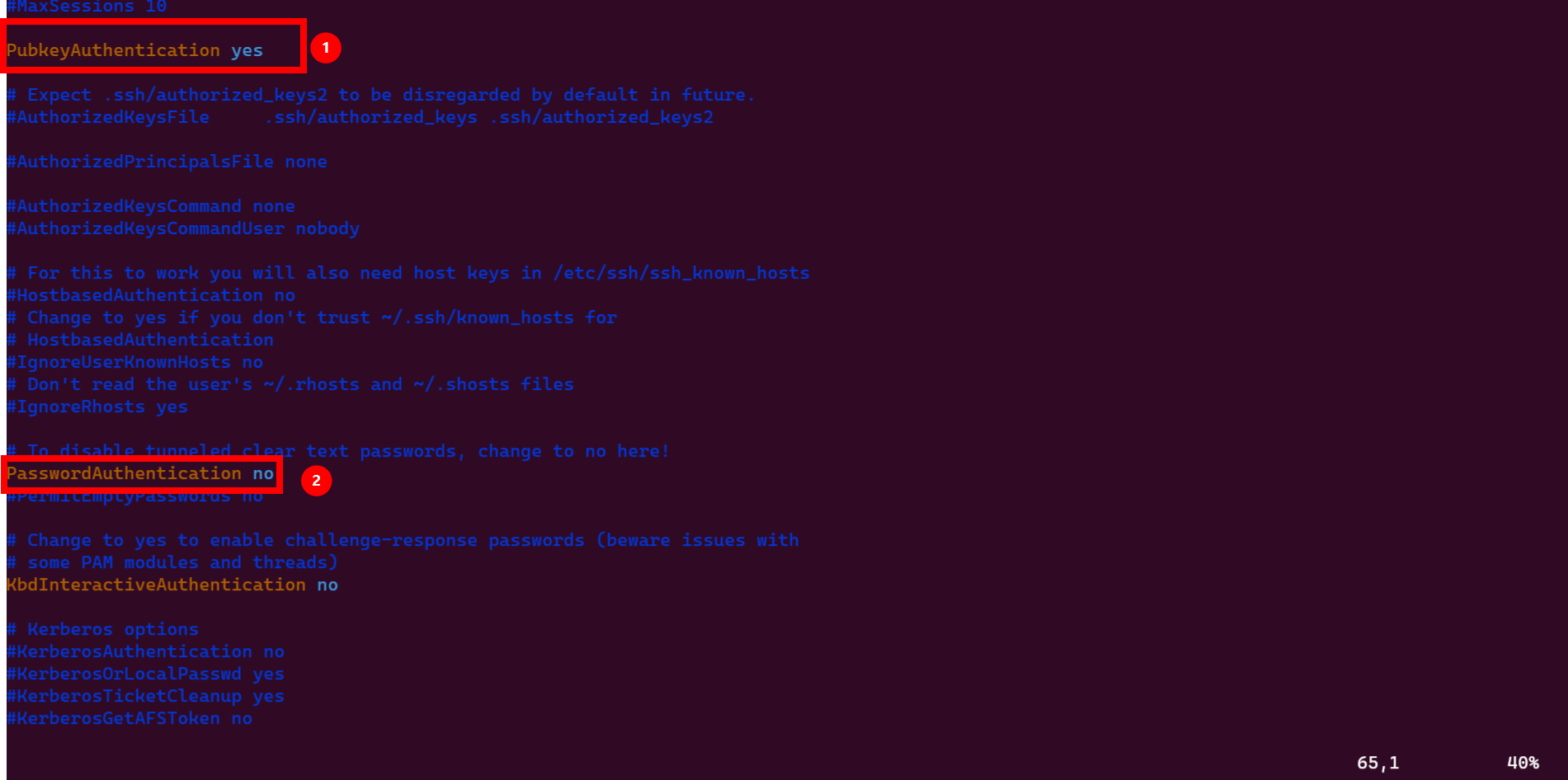
Public key authentication must be set between the client and server by generating an
ssh-idbefore activating public key Authentication by setting it toyesand Disable Password Authentication by setting it tono. Remember to remove the comment#